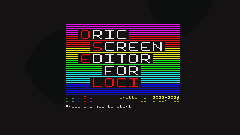
| NOTES : | Oric Screen Editor for LOCI (OSE-LOCI) is a character-set-aware screen editor for the Oric Atmos, rewritten from scratch in Oscar64 C. It is based on OricScreenEditor V1 (the original CC65 version) and extends it with LOCI mass-storage support, canvas-edit undo/redo, and several new editing features.
A LOCI mass-storage device is required to run the program at all. The canvas itself lives in LOCI-backed overlay RAM ($C000–$E7FF) rather than in the Oric's main RAM. If no LOCI device is detected at startup, the program shows a message and exits rather than entering the editor.
Main features:
Support for canvas sizes larger than 40×28 characters. Canvases can be any size from 1×1 upward, up to 10 KiB (10,240 bytes) total. Width and height are not limited to the 40×28 viewport — the editor auto-scrolls the viewport when the cursor reaches an edge.
Resize, clear or fill the canvas at any time via the Screen menu
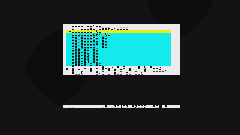
Full LOCI file I/O with an XRAM-backed file picker supporting full filesystem traversal. Save/Load Screen, Project, Combined, and Charset formats. Saves both Standard and Alternate charset banks when edited.
Includes a character editor (sidebar popup) to modify glyphs live — edits apply directly to charset RAM and update all canvas cells using that glyph in real time
Supports Oric serial attributes: ink color, paper color, and character modifiers (standard vs alternate charset, double height, blink)
Canvas-edit undo/redo (Z/Y) backed by overlay RAM, up to 40 levels
Write mode for freely typing text with the full keyboard
Line and box mode: filled box, hollow box, filled ellipse, or hollow ellipse inscribed in the bounding box
Select mode: grow a rectangle, then cut, copy, delete, or fill with ink/paper/modifier attribute
Move mode: scroll the viewport's content in any direction
Palette mode with a visual charmap option for the alternate charset
Colour picker for selecting ink and paper colors together from a visual grid
Favorite slots to quickly access 10 frequently-used characters
IJK joystick support (Raxiss IJK interface) — detected automatically at startup, works alongside the keyboard everywhere cursor keys and ENTER are used
Try mode (T): preview a character without committing it; SPACE confirms, any other key cancels
Goto (J): open a popup to jump the cursor and viewport to any typed canvas coordinate
Home (H): jump straight to the canvas origin (0,0) without a popup
Find/Replace (F): locate or replace screencodes and ink/paper colors across the whole canvas
Hollow box and ellipse toggles in Line/Box mode (O, C)
Charset > Reset Std?ROM: restore the standard charset from ROM in one step
Charset > Reset Alt?Boot: restore the alternate (mosaic) charset from the boot-time snapshot
Hex-direct attribute entry in Write mode (FUNCT+4)
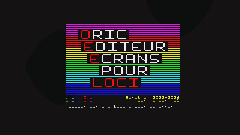
Available in English and French (both title screen and help screens localised)
Latest release:
https://github.com/xahmol/OricScreenEditorLOCI/releases/download/v1.0.0/OricScreenEditorLOCI_v1.0.0_20260706.zip
|






 ORIC SCREEN EDITOR FOR LOCI


















 Built in 0.15 Seconds